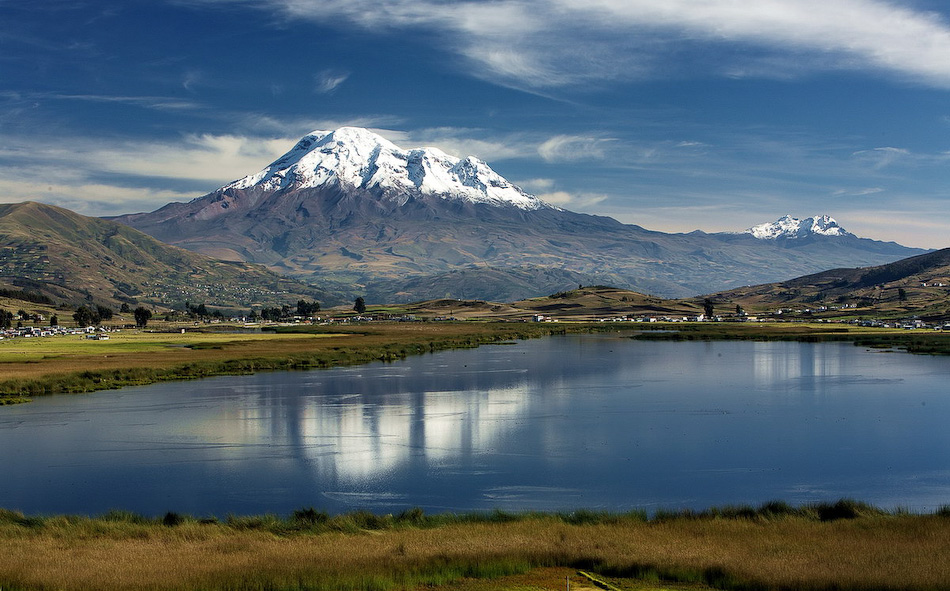
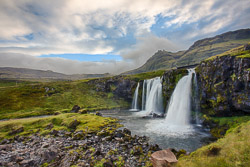
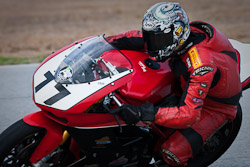
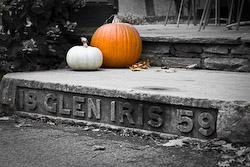
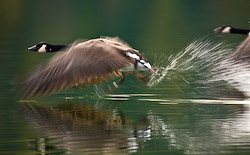
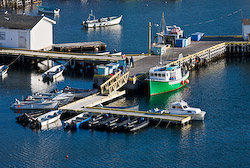
The world may be shrinking, but that is largely in the context of the digital revolution. If you want to SEE the world with your own eyes, it is still a pretty big place. Luckily, modern air travel does help shrink the time to traverse great distances and large bodies of water. Late last spring I saw some featured photos of Iceland in one of my photo mags. I reminded myself that this little island in the North Atlantic needed to get moved up on my list of “must visits”. Some digging on the internet found the photo tours offered by pro shooters Colby Brown and Ken Kaminesky.
I prefer to be my own guide whenever possible. Serious photography is a solo sport. In some environments a photo partner can be a safety consideration, but with a group of shooters one is immediately faced with “competition for composition.” Someone is always in the way. Then, there is traveling in a too small bus with nine other photo enthusiasts loaded up with the requisite gear. Really not my idea of a good time, BUT with professional guides you have the benefit of their local knowledge and support resources. They know where the best photos are and the best times to be there. Interesting hotels are waiting for you every evening. Food is put on the table for you. This frees up a lot of time and effort on the planning side and on the experiential side. Like life in general, you make compromises and keep moving.
Colby, Ken, and our driver, “Siggy”, were always congenial, helpful professionals. If you like shooting with like minded enthusiasts you won’t be disappointed with their tours.
Susie and I arrived a day before the tour to allow adjusting to the jet lag of a 5 hour time difference and a red eye flight from Boston to Iceland. We were rewarded with a beautiful and calm first day, and we used it to play tourist in charming Reykjavik. The “official” tour spanned eight days, and we stayed on a few extra days to experience more of Reykjavik, let Susie get in some Icelandic golf, and visit the famous Blue Lagoon spa before departing back to the States.
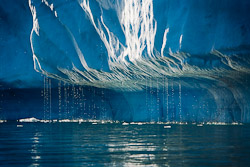
We did not get close to seeing it all, so we may have to go back! Visit the gallery Iceland! to see the highlights of this “land of fire and ice.”
Nov 03, 2013 | Categories: Uncategorized | 1 Comment »
I am again reminded of the increasingly rapid passage of time when I see my last posting and gallery was from last early spring. I still take plenty of pics… thousands since then and of those there are a few I think you will enjoy. This little travelogue gallery shows a few highlights of a […]
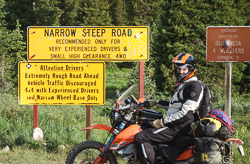
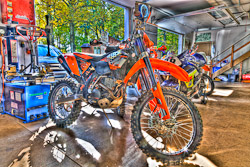
Oct 20, 2013 | Categories: Travel, Uncategorized | Tags: adventure, Colorado, dual sport, KTM 690, motorcycling | Leave A Comment »
With a reduced client load and Susie retired, for the past several years we have elected to take extended vacations during the winter months. Last year we hauled our camper from New York to California, then crossed the southern states back to Florida before making our way back to Canandaigua. A lot of miles, even […]
May 02, 2013 | Categories: Uncategorized | 1 Comment »
Sandwiched between Colombia and Peru, Ecuador is a small country, a bit smaller than Colorado for a comparison. Considering the land mass of the planet and what a tiny fraction of it Ecuador is, it is curious that I have been there four times since 2005. The first time was to visit the Galapagos, the […]
Feb 18, 2013 | Categories: Travel, Uncategorized | Tags: Continental Divide Ride, dual sport, Ecuador, motorcycling | Leave A Comment »
The popular 2007 movie, The Bucket List, coined a phrase we all use now to describe our own unique, special list of things we want to do while the grass is still under our feet. I have nurtured such a list, without the cute name, for as far back as I can remember. The list […]
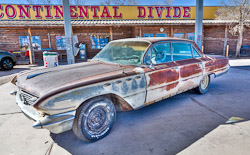
Sep 19, 2012 | Categories: Travel | Tags: CDR, Colorado, Continental Divide, Continental Divide Ride, Montana, motorcyling, New Mexico, Utah, Wyoming | 2 Comments »
Susie and I have traveled with Adventure Canada before and we were never disappointed. Their model is pretty unique. Find a “small” ship designed for about 100 passengers, equipped with a dozen indestructible zodiacs, five star food and service, and great cabin accommodations. Then, staff up with experienced leaders and experts from relevant fields, (history, […]
Jun 21, 2012 | Categories: Uncategorized | Leave A Comment »
This winter we packed up the camper and headed west yet again. Last year the mission was to actually purchase the camper in Phoenix, and we saw what we could along the way. This year we gave ourselves a little more time, but left without a clear agenda or very specific destinations. I wanted to […]
Apr 23, 2012 | Categories: Gallery Introductions | Tags: Joshua Tree National Park, New Orleans, old cars, old trucks, Salton Sea, southwest | Leave A Comment »
Well, here it is – a day after Christmas. There are only a few days left in the year 2011, and I can’t bear to admit how long it has been since my last contribution to this site. No, I haven’t forsaken photography. It is true that I did not get as much time exploring […]
Dec 27, 2011 | Categories: Uncategorized | Leave A Comment »
In 2009 while I was frantically trying to capture Trinity Bay in the fading twilight, I was forced to take longer and longer exposures. There I “discovered” the surreal ability of modern digital camera sensors to “see” in a way I could not. Since then I have captured a few more wonderful images in the […]
Apr 20, 2011 | Categories: Uncategorized | Tags: night photography | 2 Comments »
As much time as I devote to photography, I am more than a little embarrassed for my sporadic efforts in keeping this blog current. To those of you who have followed my imagery, I apologize for the long “dry spell” here. Photography is but one of the passions in my life, and sometimes one of […]
Mar 28, 2011 | Categories: Uncategorized | Leave A Comment »
The previous gallery, South Africa Photo Safari 2010, was all about the animals. After all, that was the mission… see wildlife… shoot wildlife. While going through the thousands of images we brought back, I realized that there was also the human experience – the personal side to our adventure. We were already friends with the […]
Jun 28, 2010 | Categories: Gallery Introductions, Travel | Leave A Comment »

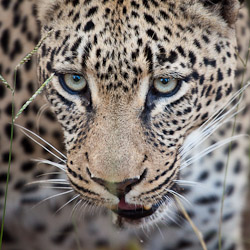
The Impossible Dream It is probably fair to say that most photographers who shoot nature oriented images have photo safari in Africa as a line item on their bucket list. After a number of years looking at ads for African treks it seemed an impossible dream. The typical prices for a couple to spend a […]
Jun 19, 2010 | Categories: Gallery Introductions, Travel | Leave A Comment »
I hope all my readers had great holidays with family and friends. It’s hard to believe “Twenty-O-Nine” is now “Twenty Ten”. It will take me weeks to write dates without the hand writing “09” when the head knows better! 2009 Recap Photographically, 2009 was a prolific year for me. I took over 12,000 images from […]
Jan 03, 2010 | Categories: Gallery Introductions, Travel | Leave A Comment »
My first solo show ran the month of September at the Wood Library in Canandaigua, NY. To tell you the truth, it felt a bit like I was promoting my own birthday party since I don’t normally try to draw attention to myself. I was pleased that the opening was very well attended with friends, […]
Oct 07, 2009 | Categories: Gallery Introductions | Leave A Comment »