Photography and commentary by Paul Yarnall

Uncategorized

“Twenty Ten” Already & Two New Galleries

I hope all my readers had great holidays with family and friends. It’s hard to believe “Twenty-O-Nine” is now “Twenty Ten”.  It will take me weeks to write dates without the hand writing “09″ when the head knows better!

2009 Recap

Photographically, 2009 was a prolific year for me.  I took over 12,000 images from dozens of inspiring locations between the two great oceans of North America.  Of course with multiple exposures for possible HDR and  re-shoots to alter a composition by moving the camera six inches (or six feet) there was a lot of redundancy. Nonetheless the shutter finger got a lot of exercise this year!

As my portfolio of decent imagery has grown, I took advantage of more opportunities to show my work, including The Photopath 12 Exhibit in Rochester, my own solo show at the Canandaigua Wood Library, a continuing exhibit at the Canandaigua National Bank in Geneva, NY and most recently acceptance of three images at the WOW! exhibit now showing at Image City Photo Gallery in Rochester, NY.  The fact that folks are willing to part with their hard earned dollars in these uncertain times to make one of my images their own is greatly humbling and gratifying.  To all of you who have come to my shows, sent kind words of praise, or even  purchased an image, please accept my very heartfelt thanks.

It is bewildering how many  photographers are rapidly maturing with great work to show. I believe this is a direct result of the “digital revolution”.  It is a marvelous artistic pursuit that is always full of surprises.  No two photographers ever see quite the same thing even when they are looking in the same direction at the same time.  Throw in the infinitely variable choices in todays editing arsenals and every photograph is a snowflake.  No two are identical.

Two New Galleries

Back in 2006 Susie and I went on an Arctic “Adventure Cruise” with Adventure Canada.  In addition to the incredible photographic opportunities we were privileged to experience, we also met some interesting people.  One of them was Pete Ryan, a professional stock and assignment photographer, who is on a short list of approved contributers to the National Geographic on-line  stock library.  Pete and I stayed in touch and for reasons only known to him, he graciously invited me to join him on two photo missions this past fall.

Pete throughly researches his subjects and locations before arriving and he always has a list of places to see and shoot.  I got to follow along and tried to stay out of his way while I experienced a photographers’ waking dream of shooting from dawn to dusk.  Only hunger, fatigue or driving to the next site slowed down the relentless pixel count.

This was certainly the case when we joined up in Newfoundland in November.  By his own count Pete has been to Newfoundland dozens of times and he still had a list of “must sees”.  The short version of his list included a remote and little known site, (even to the locals), of a B36 USAF bomber  crash high on a rugged mountain top on the Trinity Peninsula, and a visit to a remote abandoned fishing village, accessible only by boat, just to name two.  I call the village “Sworn to Secrecy” since Pete does not want me to publish the name of the nearly forgotten village.  In spite of uncertain and rapidly changing weather, each day was an adventure all its own.  Newfoundland Revisited samples that memorable trip.

As we parted company in Newfoundland, Pete was thinking about a return trip to Death Valley. Even before the Newfoundland shots were culled, organized and first edits done, Pete was selling me on the hidden gems in Death Valley.  I am not a very ‘hard sell’ and so it was that we joined up in mid December in Las Vegas as a jump off for another photographic adventure.  I piloted a Ford Escape 4X4 and Pete pointed the way to remote abandoned mines and long deserted buildings. Thank god for GPS and topo maps!  We tested man and machine.  We had more fun than should be legal.  We also saw many of the popular and well known attractions in the great valley, but sans the crowds.  It was great shooting.

We even ended up with a day and evening in Las Vegas, a town where “what happens here, stays here” ….  or something like that.  It is a gaudy, sometimes rude, sometimes racy place, but oh my, the lights at night!  Check out Death Valley: Off the Beaten Track, for the highlights of that trek.


First Solo Exhibit at Wood Library

My first solo show ran the month of September at the Wood Library in Canandaigua, NY.  To tell you the truth, it felt a bit like I was promoting my own birthday party since I don’t normally try to draw attention to myself. I was pleased that the opening was very well attended with friends, family, and the public turning out.  It was over in a blink, and everyone seemed genuinely impressed with the images.

I tried to select images with a wide variety of subjects and locations and I posted a short narrative with each image to provide either insight to the time and place of the photo or other musings that would add to the story.  Folks really seemed to enjoy reading these and certainly spent more time with the images than they would likely have otherwise.

Of course, the displayed images were (discretely) for sale, and while I am happy to say that I sold a surprising number of them, I was more interested in the opportunity to see what the public liked the best out of the thirty-five images displayed.  To accomplish that, I provided  ballots and asked folks to vote for their favorite five images.  To encourage voting, I promised a free image to the winner of a drawing at the end of the show whose five favorites included the overall show top vote getter. (Congratulations to Ken Poole of Canandaigua, NY!)

“Glacier Rain” was the top pick.  Because of two ties, seven images emerged as the favorite five. Notable to me was the fact that of the seven, five were HDR (high dynamic range) images, and one was a stitched panorama.  There is always some debate in the photographic community about the use of HDR, but in the case of my work, the public has clearly spoken.  It was gratifying to discover that every image in the show was on someones’ ballot.

It was a huge amount of work and expense to  do the show, but it was an honor to be invited and very satisfying that the images were well received.  My sincere thanks to all who took the time to come.  For the benefit of those who could not make it to the show I created a gallery of the exhibit , Wood Show 2009.  Keep in mind that no screen does justice to a good large print.  The images are ordered in the gallery based on the votes they received.  (The meerkats in “Watchin’ You Watchin’ Us” was actually a triptych and I had a group of four puffin portraits in a quad, but I had no convenient way to post them in the gallery….  sorry.)


One Man Show

I am very pleased to announce that I have been invited to show a collection of my printed images at the Wood Library in Canandaigua. I will feature approximately forty images that showcase a variety of the subjects I enjoy photographing including animals, travel, aviation and scenics from many of the places I have been privileged to visit.

The opening and reception for the exhibit is Thursday, September 3, 7-9 PM on the third floor of the Wood Library on Main St., Canandaigua, NY. The exhibit will run for the month of September.

As a visitor to my site you have seen many of the images that will be on display, but I encourage you to attend as most computer displays can not do justice to an image the way a large carefully made print can.

The reception will be informal of course, and you need not plan on staying the entire time, so I hope you can fit this into your busy schedules and I hope to see you there!

Paying the Piper

It is incomprehensible to me how fast time rushes by these days but I now have some time to write as my wrist heals from carpal tunnel surgery. The irony is that driving a computer all day, either for work or for my photography, is what finally aggravated the symptoms enough for me to do something about it. Of course, it wasn’t just relentless computer use that did me in…. since the opposable thumb is what distinguishes us from most of the other inhabitants on the planet I have spent my entire life taking advantage of our ability to grip things. Countless hours on the motorcycle, or bicycle… wielding tools… you name it, I have, and continue, to do a lot of it.  And now I am paying the piper.

Recovery time for this relatively minor procedure is hard to predict but “months” are often mentioned. It has been a week so far and I am greatly encouraged by my progress. At the present rate I should be able to handle the lighter 5D and a smallish lens in another week or two

I sent this to a few of my friends just to prove that I am “benched” for a while….
090715_173628_005-lr-1200

So, since I can still use the computer without too much discomfort, I have gone through a lot of stacked up images the past week that have produced four new galleries.

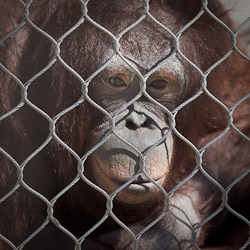
Captured is a small collection of shots from visits to two of our regional zoos in Rochester and Buffalo, NY. I enjoy ’shooting’ wildlife, but I have to say there isn’t much wild about captive animals. Certainly there are species that are fairly oblivious to their surroundings, but the higher order vertebrates are, well, depressing. They are basically prisoners put on display for our amusement.

May – July Odds and Ends is just that. A few shots from here and there, which includes the Chimney Bluffs on Lake Ontario, the Genesee River at the High Falls area in Rochester, NY, Some scenics, from the Old Forge area in the Adirondacks, and some shots of an old truck to mention a few. A large percentage of these images are the product of HDR (high dynamic range) processing where multiple exposures are combined in software to capture a wider dynamic range than could normally be viewed on a screen or print. HDR is the subject of a lot of debate in photographic circles these days. Amazing software, Photomatix Pro, for example, gives the user the freedom to create images that can be a startling “interpretation” of the original “reality”. I admit that I have exercised the creative side of HDR in some images and the risk is that some will be annoyed or object to them. That’s OK. This is like TV… if you don’t like what you see, change the channel, (or go on to the next image). However, in spite of the potential for abuse, HDR has also allowed me to create images that look “normal” when none of the individual images used to build the composite had any potential what so ever. You can be the judge.

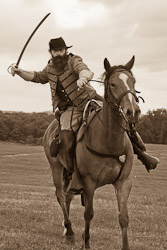
Within the last month I was able to travel into the past, at least with a little added imagination, when I visited Gettysburg, PA for the 146th anniversary re-enactment of that great (and horrible) battle in the Cival War. The time and effort of many hundreds of participants dedicated to reliving that historical period is something to witness and provided great subject matter for my viewfinder.

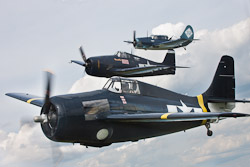
I returned for my second visit to the Historical Air Group Airshow at Geneseo, NY earlier this month to document this years theme of Naval Aviation. In addition to the meticulously restored and maintained warbirds of the last century, I again stepped back in time as I walked through a 1941 Air Corps encampment. A ‘high point’ was circling around at 2500′ above the New York countryside in a Cessna “Bamboo Bomber” as three Navy warbirds formed up on our wing for our eager lenses.

I hope you enjoy some of these images…. as always, I am happy to hear your comments.


Trekking to Florida and Back

It’s funny how one thing leads to another.  Late this past fall I decided that it was time to look for a replacement for my aging 1/2 ton pickup truck.  It served me faithfully for 10+ years, but was showing “the signs.” So I started the “hunt” while it still had enough value to be useful to someone else.

The great search turned up  a nearly new Dodge 3/4 ton diesel.  Somehow the new truck and its greater capacity led to a bigger camper. This one has a small bathroom which greatly expands one’s choices for evening stops on long trips.

All of this led Susie, my wife, to suggest a late winter trip to Florida for a maiden voyage.  Great idea!

Susie insisted that we take our two dogs, and I insisted on getting the canoe and kayak on the roof.  I knew this “family vacation” was not going to be ‘photo trek’ per se, but of course I took every lens and body, prepared for anything.

Dogs are like little children and need a fair amount of attention, but they travel a lot better… they never ask “are we there yet?”, though they do make a protest if you drive past their dinner time!  You can’t just let them out the door when they need to go out, so it was leashes and little plastic bags several times a day.  I pretty much resigned myself to missing sunrises and sunsets with my camera.

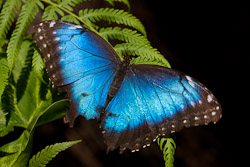
Still, we had a great time. We spent a few days in the charming city of Charleston, SC and a day at the beautiful and authentic Magnolia Plantation. A couple of interstate billboards extolled the Butterfly Rainforest at the Florida Museum of Natural History in Gainesville, so we spent a day there in butterfly heaven.

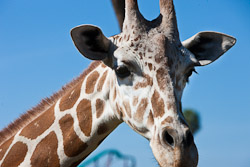
Visiting family near Tampa, we spent a day as authentic tourists at Busch Gardens. Laugh all you want, but there are great photo ops for African wildlife few of us will get to experience on African soil.

We visited a number of the many Florida natural springs and spring fed rivers in the fantastic Florida State Park system, and that led to canoeing on the Ichetucknee, Weeki Wachee, and Chassahowitzka. Magical places to paddle.  Check out Florida Snapshots.

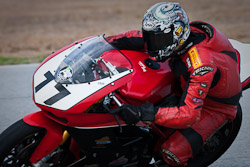
On our last weekend before heading back to the frozen north, we spent a day at the Jennings Raceway in north Florida watching and photographing my brother, Dave, and his friend, Mike, balance the physics of horsepower, speed, friction, and human dexterity and skill on their motorcycles. Photographically this was more challenging than you can imagine!

Since these photo subjects were all so different, I put them in their own little galleries. You can get to them from the links above or from their description widgets on the right.

If you would like more detailed information on where any of these photos were taken, drop me a note.


Six New Galleries from 2008

Well, here it is, day two of 2009. The past week has been one of focused attention on this new site, the new galleries, putting it all together….lots of hours parked in front of a keyboard. Where does the time go? Part of all this reorganization was revisiting and reviewing thousands of images from 2008… many which had been sent to bits and bytes heaven and a few were real ‘finds’. Going back to images months after you took them gives you a fresh set of eyes…  new possibilities for images you passed over before might inspire you to process them.

The review process made me realize what a good (and busy) year 2008 was photographically. (In all ways, really, given that my friends, loved ones, and I are in good health).  The highlights of 2008?…..

It started with four weeks touring the American Southwest with my good friend, Jason Murphy, last April. Then a week in June shooting Puffins and other bits in Maine.  Several days in July were spent with Pro shooter friend, Peter Ryan, immersed in aviation history at the Historic Air Group in Geneseo NY. In August it was off to Ecuador (third trip!) working for Safari Party Adventures and spending more time with Jason. Then there was an unexpected opportunity to revisit Newfoundland by way of Adventure Canada on their Circumnavigation of Newfoundland cruise. Susie and I loved our first trip to ‘Newfie’ land… how could we resist? And there was a short but fun workshop for area teachers I conducted at Letchworth State Park.  In between the big trips I slipped off to beautiful Canadice Lake with camera and canoe on numerous summer and fall evenings.  I had great fun watching two Canada geese a friend owns grow from fuzz balls to powerful fliers! Whew, what a year!

Given that the last gallery I published was of the Southwest trek, I was clearly way behind by the end of the year.  Along the way I adopted a Mac Pro and Adobe LightRoom. Both have had a big impact on my productivity and state of mind. Strangely, I really don’t miss cursing at locked up or crashed Windows programs.

For some reason there is a need for photographers to show their work. We can dispense with the psycho analysis, but I enjoy showing the images that ‘work’ and my website was a primary way of reaching an audience. One of the reasons I was slow in posting was that it was an incredibly time and patience consuming process, and that tended to result in putting off getting things posted. To top it off, I wasn’t particularly pleased with the look of it.

The result of all these forces working together is this new venue.  It is far easier to maintain and add to than the old one, so the next galleries won’t take six months from the time they are taken to getting into a gallery. That’s the plan.

I apologize for posting six new galleries at once. Take your time. If you ’subscribe’ at the top of the page you will be alerted when anything new gets posted.  Love to hear from you.  As always, thanks for visiting.


The NEW Images by Paul Yarnall

It is common knowledge among those who have created any kind of web presence how much time and energy it takes. It can be exhausting and frustrating especially if your html skills are minimal. Visitors to any site expect new material on a regular basis, otherwise it’s “been there done that”. So, my apologies to all who have enjoyed any of my photos but were wondering when I was going to get around to showing new ones. I was creating images faster than I could get them processed, organized, and posted. Something had to change and this new site is it.

The NEW Images by Paul Yarnall website is now completely Blog based because blogging tools make it easier to get things ‘online’. In addition, all photo galleries are now generated in Adobe LightRoom. My switch to LightRoom will be another post by itself, but in short, it is an integrated photo processing environment that streamlines all the tasks of getting images from the camera to the web. The LightRoom generated galleries lack a few embellishments I hope Adobe will see fit to add as time goes on, but the results are a nice presentation of images with very little additional effort on my part once they are “developed”.

You will find links to all the photo galleries, old and new, on the right sidebar. All of my previous blog articles and posts are here below or can also be found using “Categories” at the top of the page.

It seems fitting that the NEW IBPY is launching with the new year. I am going to do my best to shoot more AND post more. Comments and suggestions are appreciated as always.


The American Southwest… Out and Back

This past April I had the great fortune of visiting parts of the amazing American Southwest… focused mostly in Northern Arizona… the Page, Lake Powell area. How this journey came to be was not based in good fortune, or was it?

Rewind back to last Fall. I learned of a weekend lecture by the superlative photographer, Art Wolfe, hosted at a small college in Pennsylvania. I had heard what a remarkable shooter and speaker he was so I signed up. I decided this could be a fairly low cost weekend if I used my slide in, pop up, truck camper and since it was not far from my home town I could also visit with my aging Mom and my siblings. Mom didn’t make it to Christmas so that was one of my last precious visits with her and I always enjoy time with my brothers and sister.

The lecture was amazing. It wasn’t that I learned much from a technical stand point, but in spite of being bombarded with an endless stream of Art’s singular photography that I could only hope to match in my wildest fantasies, I left incredibly inspired. The one message that I took to heart as my left hand brain was constantly trying to define a purpose to my need to freeze a moment, was that every time someone gazes at one of your images and is transported, however briefly, you have ‘done a good deed’.

As I headed back home up a very busy eight lane highway, thankfully in the far right lane, I heard a strange sound followed by a slight jerk in the truck, followed by the view of the roof of my camper tracing an arc through the sky behind me in my rear view mirror. It crashed upside down still in my lane, missing cars behind me, and others doing the “Oh my God” dodge to avoid crashing into it. It came to rest half on the shoulder as did I quite a way farther down the road. It all took a second or two to take hold in my brain. Bedding and misc. stuff trailed me back to the roof. I slowly backed up on the narrow shoulder, already thankful that no one had been hurt, but reeling with the strategic challenge now before… make that behind me. I was three hundred miles from home and part of my camper lay on the road. Bummer.

A very good Samaritan stopped to offer assistance. There is little doubt that I was in a bit of a state of shock with an adrenaline chaser as the two of us managed the impossible by getting the roof back up where it belonged. It was heavier than four or even six people could have safely lifted. It was badly damaged but I couldn’t leave it there and I needed to have some protection for the inside of the camper in the event of rain. It took a lot of rope to tie everything back together, several more stops to add rope or check that it was staying put, but I made it home without further incident. That weekend was so full of emotional extremes it felt a bit schizophrenic.  

I will skip the distasteful unpleasantness with the insurance company… (I really like my NEW agent and carriers, by the way)… but it became clear that letting the factory restore my camper to its former glory was the most prudent solution. The factory is in Michigan. While I was looking at maps contemplating the drive to the factory I noted that it was a “good leg up” in the generally Western direction. I had just seen some images of slot canyons in Arizona that I wanted to be in MY camera and, oh yeah, I have a friend in Denver. Work was slow, (who says on their death bed,”Gee, I wish I had spent more time in the office?!”). The concept of a camping photo road tour was taking shape.

When I mentioned this to my dear friend (and son I never had) Jason, who lives in Ecuador, and mentioned that he was welcome to join the adventure, his acceptance sealed the deal. He was anxious to sharpen up his photo skills and as long as we found a WIFI hotspot at least once a day so he could keep tabs on his work, he was good to go. He flew into Denver, we visited with my friends and the adventure began.

The interstate drive through Colorado was constant visual stimulus… there was still plenty of snow in the hills, but as we approached Utah things got dryer. Our destination was Page, Arizona, but we stopped in Moab and had a quick visit at Arches National Park, before continuing on. When you have only “the moment” it is really a lottery as far as the light is concerned.  You have to take what you get. Plenty of snapshots of the  “this is my vacation” variety with a few ‘wall hangars’.

The slot canyons in the Page area were everything I hoped for… surreal, amazing, and  photographically challenging. We followed our noses and our whims. We made plans, but we adapted to unplanned choices. This got us to Stud Horse Point. Wow. This got us hooked up with a local expert on petroglyphs and native navigational (he thinks) markings he has discovered over the years painstakingly exploring the hills and mesas in the area. He took us on a WILD jeep ride to see some of his discoveries. Another Wow. Some tough light that day but great memories. Then there was the march up to Angel’s Landing in Zion, (see the blog before this one). Not for the weak of leg or the faint of heart. Amazing that this trail even exists with the lawyers, insurance companies, and even our government who wants to protect us from everything. You could easily have the last day of your life as you approach the summit, but Oh my, what exhilaration and what a view!

We desparately wanted to get to the North rim of the Grand Canyon, but one small camping area was un-characteristically full (after 80 miles of the roughest gravel roads ever!) and the other was still snowed in, so we made the pilgramage, along with many others, to Grand Canyon Village on the South rim.  Too many people, for sure, but then we got to see the Canyon and got some good pics of horses (mules really) and their handlers.  Expect the unexpected…. and be ready to shoot!

And speaking of shooting, I confess that I lost a very precious 4 gig worth of images by getting sloppy in my work flow.  A hard lesson that I will expand on in a future blog.

We took the Southerly route back which included the Petrified Forest… (do you know how the trees turned to rock??… I do)… and we finally ended up in the Great Smokey Mountain National Park. The surrounding communities have taken on a distressingly low taste amuzement park mentality and a lot of people come to the park… also distressing, (can you tell that I don’t like crowds?), but there is photographic gold in those hills, and some of the gold requires a good sweaty walk to get there. That seems to thin out the crowds at the good spots.  This is another destination that could fill weeks, not days, and I plan to return.  A Fall visit after school is back in session would be spectacular.

After 6000 miles, great adventures and a few ‘good enough’ images, I can reflect on that day last fall when my roof came crashing down and say, what a lucky day that turned out to be!

When you have a few minutes, check out the new gallery.

As always, I love to hear what you think.  I am particulary interested in what you think of the black and white versions of some of the Arizona – Utah landscapes.


FAA Li Battery Ban… what happens on my next trip?

Here it is the 24th of January and as I cruised through the paper at breakfast I came upon a little AP article saying that lithium batteries were under new restrictions by the FAA as of Jan 1. My first reaction was, “what planet have I been living on that I am just hearing about this!?” No, actually my first reaction was, “Oh s**t… I always travel with more than two Li batteries for my camera gear! Now what?!”

I did what any modern day info sleuth does… I googled the ban. OMG… the net is a wondrous thing but it can be very hard to hear the music for all the noise. I finally drilled down to some reliable information that is fairly easy to understand. That’s in stark contrast to what the FAA publishes. As a pilot and engineer for 30+ years I can read and successfully interpret most technical stuff, but FAA rules are in a class by themselves. Let’s not go there.

The bottom line is this… virtually all our camera, cell phone, and laptop batteries fall into the “small” category and as such we are not limited to two batteries as has been reported by various venues. We are limited to 25 grams lithium total, 8 grams carry on and while I won’t get into the calculations here, that is a lot of small batteries. This is taken from the latest DOT brief….

Common consumer electronics such as digital cameras, cell phones, and most notebook computers are still allowed in carry-on and checked luggage. Moreover, any number of spare batteries for these devices will be allowed in carry-on baggage if they are properly protected from short circuiting and do not exceed 8 grams (~100 watt hours) of equivalent lithium content. Most lithium-ion cell phone and standard notebook computer batteries are below 8 grams (~100 watt hours) of equivalent lithium content. Batteries not installed in electronic devices are not permitted in checked baggage.”

So, no ‘loose’ batteries in checked luggage. They must be in the device they are intended for. (Not a very good idea from a theft point of view, but that’s another issue.) For the spare carry on batteries, tape over the terminals or put them in individual plastic bags. This is to prevent accidental shorting. Lithium is an impressive substance in terms of the heat it can generate when it combusts. I know the terminals on the Canon batteries the 5D and G9 use are recessed… it would take a concerted effort to short them so accidental shorting is virtually impossible no matter where they are flopping around in my camera pack, but the FAA must have a better imagination than me, so isolate and insulate.

If you want to do the math, find the capacity of each battery (usually in tiny print somewhere on the battery), typically expressed in mAh, divide by 1000 to get the amp-hours, then multiply by.3 for grams of Lithium. If your camera battery is 1390 mHa (Canon 20D, 5D) then 1390/1000 x .3 = .42 grams. If I had five of them with me my total would be 2.1 grams…. well under the 8 grams allowed.

Better living through chemistry and our government, who loves us.


Shaky CD’s…. or What’s Buzzin’?

Yeah, I know… this is supposed to be a photography (and related) blog and so you are asking yourself, “what does shaky CDs have to do with photography?”. Well, the computer is the nerve center of photo processing and most of us have stored or transferred images via CDs, and now DVDs too, so you see, it is related.

A friend brought over some files for me to work on the other day on a CD and since Murphys Law was in full swing that day I could not read some of the files. I was also thinking that my PC was making some nasty sounds it doesn’t normally make. After ejecting the disk (the source of the noise)I noticed that it was labeled with a standard run of the mill 1×3″ self adhesive label about an inch from the center of the disk.

Hmmm… could that little label be the source of the noise and the reading problem? After all how much can a paper label weigh? Well, it’s not much. .00033lbs to be precise, give or take a couple of 10 thousandths. (Yes, I weighed it.) In my other life as an engineer I keep some formulas handy in my spreadsheet program and one of them calculates centrifugal force. Let’s see how “heavy” a little piece of paper is at the 5000-10,000 RPMs, (no, that is not a typo), that a typical CD spins at now days.

This calculation finds the centrifugal force of a mass spinning around an axis…. think of a soft ball on a 6′ rope that you start swinging around over your head. The ball starts getting “heavy” as you swing faster and faster. Well, our little bitty piece of paper exerts a radial outward force of just under a quarter of a pound (like the heart attack hamburger) at 5000 RPMs, and just under 1 pound, (a loaf of good bread), at 10,000 RPMs. Yikes! No wonder my CD drive was making noises. That is a very large imbalance and the result is a lot of vibration. (If the label was 2″ from the center the forces would double!)

Guess what? After I removed the label the drive became silent again and I could now read the problem files. Amazing. (Yes, I loved Mr. Wizard as a kid. If you don’t know who that is, young fellar, Google him.)

So what are the best ways to label our CDs and DVDs? Some of the printers on the market now have disk printing capability. They need disks with a special surface coating for the inks to adhere to, but aside from that, if you have one of those you’re good to go. For the rest of us, Sharpie makes felt tip pens made just for CDs use solvents which won’t attack the plastic. I have gotten away for years using their standard permanent marking pens, which may not be approved, but I keep the writing in near the center when possible. (If you are using the premium quality archival gold disks, such as the Delkins, you should probably use the approved pens). Verbatim and Avery both make circular labels that are self adhesive and can be run through a printer if desired and are then applied with a little fixture they provide to make sure the label stays centered. Personally, I am not that motivated, but hey give it a go. What ever you do , don’t use a ball point pen as there is a good chance that the data layer can be damaged.

I bet you never thought much about CD labels before all this. You can thank me later!


Digital Photography… Books for Getting Started

You may be wondering what I mean, “getting started” when there have never been more cameras out there, in the hands of more people, taking more pictures, than any other time since George Eastman started Kodak early in the last century. Even cell phones can take photos now and children are using point and shoots, so how hard can it be?  I am referring to those folks who have been taking pictures with various degrees of success, but now want to create images that can be truly admired.  That means having to study and learn a few things beyond the on –  off switch and the shutter release.

There is a tremendous amount of educational material available for free on the web now, but, call me old fashioned, a good book on any subject is hard to beat. You can read it at lunch, take it to bed, it doesn’t need batteries or a power brick… books are great. I am often asked what books I would recommend for beginning photographers. It could be a very long list but for just starting out there are three that I think are a terrific value and get to the heart of making good images.

The first is The Digital Photography Book by Scott Kelby. This is a “what & how” book where each page succinctly deals with a specific photographic subject. Many of the lessons are very elementary (though essential) and yet there are tips and tricks that are useful reminders for even more seasoned shooters. Pretty inexpensive at around $15. Available from Kelby directly, as well as Amazon.com and even from displays at your local fast print center.

The other two books really get to the heart of making good images; setting the correct exposure for your image, and training your eye to ’see’ an image in the visual chaos we are all flooded with every day. Interestingly, but perhaps not surprising, is that, Understanding Exposure and Learning to See Creatively are both by the same author, Bryan Peterson. Both books are easily digested and are filled cover to cover with great photographs supporting the author’s points. Even if you have been shooting for a while and think your images are pretty decent, these two will help you improve your game. Again, look to Amazon.com or your local bookstore for these two great references.

On the post processing side there are also (too) many to choose from, but for me it’s simple. If you are using Adobe PhotoShop (or Elements), then Tim Grey is your author. The two on my shelf are Photoshop CS3 Workflow and Color Confidence. I am also a big fan of his question and answer of the day email, DDQ. You can sign up at his website. A nugget every day.


Software You Didn’t Know You Need

When I first started making my own prints, back in my college days, I spent a lot of time in rather stuffy dark rooms working with a lot of messy and smelly chemicals. When my co-op period flipped over to a work experience (or vice versa), I packed up my somewhat portable darkroom gear and dragged it all to my new digs, wherever that might be. It took a lot of time and work.
Fast forward to the digital darkroom of today…. a computer with a decent (and calibrated!) display, photo editing software of choice (yes, there are choices), and a printer, (assuming prints are your intended final product). Certainly the tools of imaging have gotten a lot lighter and nearly never smell. (Actually, I have used software that “stinks”, but it is usually my brain that is offended now and not my nose!)
I think I would argue that once you have captured your digital images, the balance of your work relationship with them is via the computer, or more specifically, the installed software. Yes, you have a photo editor, but have you taken a step back from the keyboard recently and taken stock of the other software tools that you use, or perhaps should use, to improve your imaging work flow and security?
Here are some of the really useful programs I have found to be indispensable in my computer environment.

TinySpell+ (www.tinyspell.com)

This clever little program is a spell checker that pretty much watches everything you type, regardless of the application. I am a stickler for correct spelling, but the dictionary in my brain is only so-so and only larger applications usually have them built in. Think of the situations where you are writing and mistakes can be embarrassing and require rework later… titles in your photos and galleries, text entries on your web site pages, posts in on line forums, etc., etc.. When you are typing along and make a mistake there is a “boink” from the computer alerting you to your mistake. You can fix it right then or wait until you are farther along. There is a free version, but the full featured one costs a staggering $7. You can pay more if you like…. I paid $10 just so I wouldn’t feel like a cheapskate! A real bargain.

Clipmate (www.thornsoft.com)

Clipmate is a clipboard ‘extender’. Everyone is familiar with the clipboard functionality built into Windows. Whatever is selected, hit Ctrl + C, go to the new spot in the same or any other application and hit Ctrl + V, and presto the part you grabbed is now pasted into the new spot. Trouble is, the standard clipboard only has the capacity to hold one clip at a time. What if you could save all of the things you ‘clip’ and then have them available to paste later? Think of the possibilities! This, folks, is a very powerful and work saving utility. I am lost on a computer that doesn’t have it. Highly recommended and not too expensive… $35 for a single license with many reasonable options for multi computer environments, like a home or work network. Free trial, too.

Let’s talk about data security. Here’s the tough love speech. If you don’t have multiple copies of your precious photos and other important data, then you are going to suffer some real heartache! When you think hard drive, think firecracker with a fairly long fuse. How long is the fuse? One never knows until it is too late. Present hard drive technology is amazing.  Amazing that it works at all, that is. Hard drives are electro – magnetic – mechanical devices with working tolerances that are nearly too small to fathom. When those tolerances are crossed, puff, your data is toast. I have had new drives fail during formatting. I have retired working drives due to lack of capacity after several years of hard use. Too many to count have failed ‘before their time’ without warning. It’s a crap shoot and I for one can’t wait for the solid state hard drives to catch up to and replace the present technology. Until that day, we have to assume the worst and be prepared for it. For a back up strategy to be effective, it needs to be as nearly automatic as possible, otherwise, human nature being what it is, it gets forgotten or put off until another more convenient time.
I use a multi-faceted approach. If the computer is “mission critical” and down time is costly, I use a RAID ‘mirror’ array…. essentially two drives that are virtually the same, but the computer sees them as one. Either one can fail and the bunny keeps marching. The downside is that it requires more $ and is more trouble to set up. Most of you (and myself on my photo computer) use a single hard drive as the C: drive and this is where the operating system, program files, and your data is stored. Kind of breaks the old adage, “don’t put all your eggs in one basket”, doesn’t it? Another approach to solving this problem is to install a second hard drive in the system which has been ‘cloned’ from the first. The cloning process is not difficult and requires special software (more on that below), but your system then sees them as two distinct drives, C: & D:. If C: drive failed, the operating system would automatically see the second drive as the new C:, which is great as far as that goes, but the data files would only be current at the moment they had been cloned. So this setup is not complete without software which monitors the data files (of your choosing) on the C: drive and keeps the same files “synchronized” on the second cloned drive in real or near real time.

Vice Versa (www.tgrmn.com) is the backup – synchronizing software I use to keep my two drives data synced. It is loaded during start up and resides in the system tray. Once the backup profiles have been set up the program runs on its own, constantly monitoring the source files and copying any changes noted to the target drive. Neat, no muss, no fuss.
One back up copy of your photos is not enough. Think fire, theft, lightning or any other physical disaster. Both copies can be gone. Not good. There are a number of alternatives to cover this, including NAS (network addressable storage), if you have a network. The best choice, IMO, is one that uses external hard drives that spend most of their time in a location different from the PC. Some discipline is required as you need to periodically pull the drive out of storage, hook it up to the PC, typically by USB or Firewire and manually commence the synchronizing. External hard drives cost more because of the enclosure, but a cheaper internal hard drive will work perfectly  just sitting on your desk with the use of an inexpensive adapter to provide power and a connection to a USB port. In this scenario I use a universal hard drive adapter made by Apricorn (www.apricorn.com) and available from them or www.newegg.com. This particular adapter will work with both conventional IDE drives or the newer SATA drives. The real bonus is that this adapter comes with cloning software. What a deal!
For these synchronizing operations I like a program called FolderMatch, (www.foldermatch.com). With this utility, I can simultaneously look at any two folders, compare them, see the differences and make them the ‘same’ in a dozen different logical ways. A very versatile and useful program.

The last two utilities I will mention here have little to do with your photo work, but pertain more to maintaining your PC. I could get sidetracked about the issues of the Windows operating system, and, yes, Mac is an alternative, but the reality is that most of us are running Windows in some flavor and Windows is a messy operating system prone to gradual self destruction. For years, I have used the “One Button Checkup” feature which is part of the Symantec (Norton) security package I installed. It is set to run every Friday at 5 PM and it looks at the registry, shortcuts, and program integrity, analyzes them for problems, identifies any it finds, and ‘fixes’ them. It always amazes me how many errors are found on a weekly basis. I can’t imagine what lurks in a machine that has been running several years since the OS was installed. If you don’t use any of the Symantec products, I recently loaded a free utility that does much the same thing… WindowsCare Personal, (www.iobit.com).

This last utility gives you the opportunity to look at what is being loaded from the Windows Start up menu, and if you choose to, block it from starting. You would be amazed at the number of not so useful programs that get installed over time that you end up not using, but take computer resources that would be better used by the other software that you do use. Check out What’s Running… (www.whatsrunning.net).


First Order of Business

My intent when setting up this blog space was to mimic the
look of my web site, http://www.imagesbypyarnall.com.
That ‘look’ has white text against a black background, and
that was a carry over from my Shozam generated gallery.
While I love the gallery look and so do my visitors, I am
not convinced that it is the easiest to read. Please
drop me a line if the white on black is tiresome to read
or you just don’t like it. It only takes a few seconds to
change it back to black on white.

Thanks!